
Updated August 21, 2026
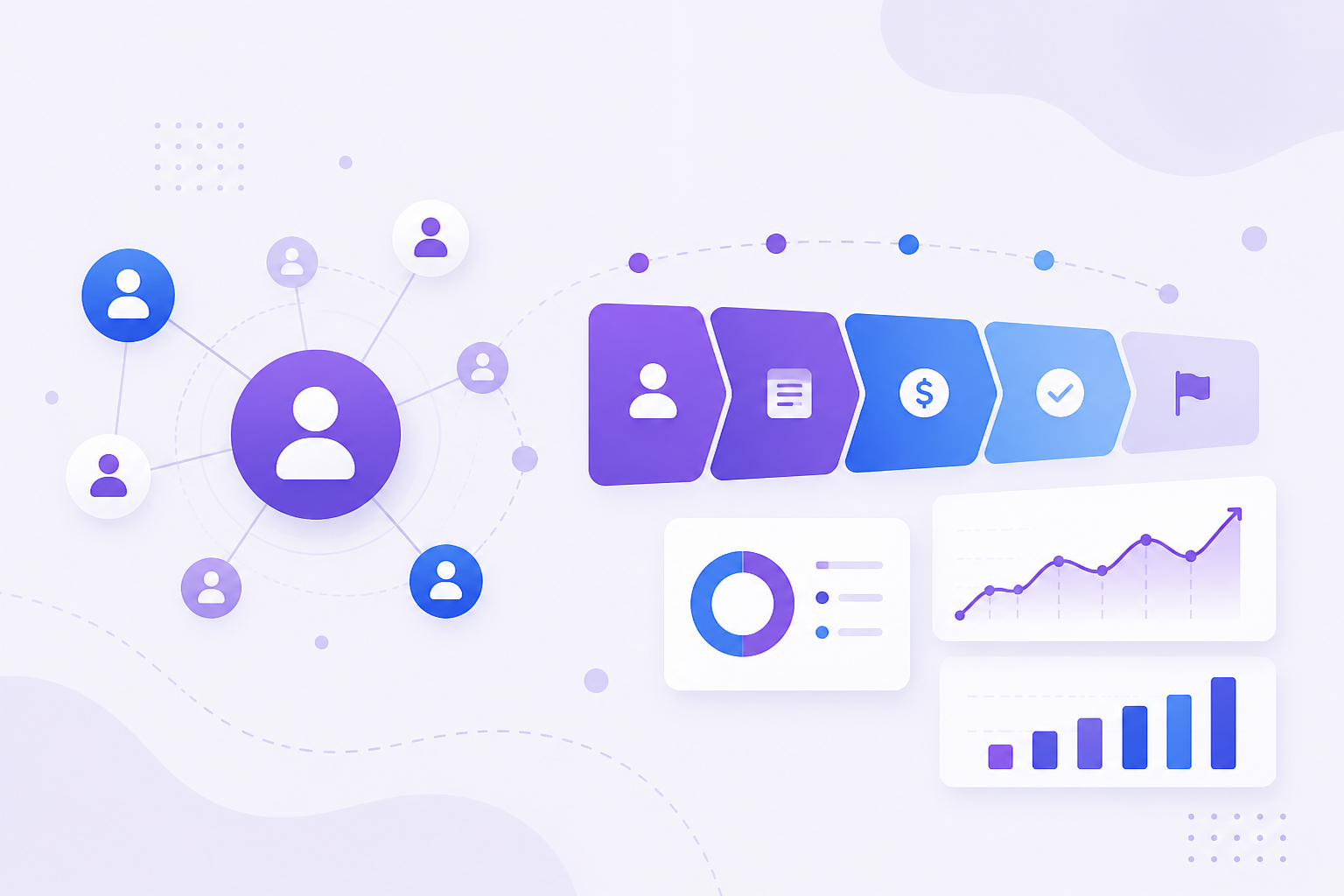
Quick answer: CRM (customer relationship management) is both a business strategy and the software teams use to store contacts, track deals, log activities, run support tickets, and decide what to do next—so sales, marketing, and service share one customer story instead of scattered spreadsheets and email threads.
If your leads live in spreadsheets, deal updates hide in email threads, and support tickets never connect to sales history, you already feel the problem CRM software was built to solve. This guide explains what CRM is, the benefits of using CRM, practical use cases, who it fits best, and how to evaluate platforms—including how an AI-powered workspace like Vyniro CRM approaches contacts, pipeline, meetings, and support in one flow.
What is CRM?
CRM stands for customer relationship management. In everyday business language it means two related things:
- A strategy — how your company captures, nurtures, and retains relationships with leads, customers, and partners.
- A software system — the application teams use to store contact records, track deals, log activities, run service tickets, and report on performance.
When people say “we need a CRM,” they usually mean the software layer: a shared system of record so sales, marketing, and support are not guessing about the last conversation, the open deal value, or whether a ticket is still unresolved.
At its simplest, a CRM answers three questions for every customer interaction:
- Who is this person or company?
- What is their history with us?
- What should we do next?
Modern CRMs go further. They add pipelines, task queues, calendars, shared inboxes, automation, and—increasingly—AI assistance for scoring, drafting outreach, and summarizing activity. Product tours such as the Vyniro CRM product page show how those pieces connect from dashboard to closed deal.
A short history: from Rolodex to revenue platform
Relationship tracking is older than software. Sales teams once relied on paper notebooks and Rolodex cards. Early digital CRMs digitized those contact lists. Over time, CRMs absorbed opportunity management (the sales pipeline), marketing campaign membership, and customer support cases.
Today’s CRM market is large because nearly every growth-stage company eventually outgrows ad-hoc tools. Industry analysts and market researchers consistently describe CRM as one of the largest enterprise application categories, spanning cloud suites, mid-market platforms, and specialized vertical tools. Independent reporting from firms such as Gartner’s CRM glossary and market overviews from research houses like Grand View Research underscore how central CRM has become to go-to-market operations.
The important takeaway for buyers is not market size—it is that CRM is no longer “just a sales database.” It is often the operational backbone for revenue and retention.
Core building blocks of CRM software
While every vendor packages features differently, most CRMs share a familiar architecture:
1. Contacts and companies
People (contacts) and organizations (accounts/companies) are the foundation. Strong CRMs keep emails, phones, roles, owners, and relationship links in one place so you are not hunting across inboxes.
2. Leads and opportunities (pipeline)
Leads are early-stage interest. Opportunities (deals) track revenue potential through stages such as Qualified → Proposal → Negotiation → Closed Won/Lost. Visual Kanban boards and list views help managers see bottlenecks.
3. Activities and timeline
Notes, calls, emails, meetings, and tasks form a chronological story. Without a timeline, handoffs between teammates create blind spots.
4. Tasks and work management
Follow-ups fail when they live only in someone’s head. Task lists with due dates, priorities, and linked contacts keep promises visible.
5. Meetings and scheduling
Many teams book demos and onboarding calls from the CRM so availability, time zones, and contact context stay aligned.
6. Support tickets and service
After the sale, customers still need help. Tickets tied to the same contact record prevent support from answering without sales context—and vice versa.
7. Reporting and dashboards
Pipeline value, win rate, stage conversion, overdue tasks, and ticket volume turn CRM data into decisions.
8. Integrations and AI
Email/calendar sync, automation, and AI drafting or insights reduce busywork. Platforms like Vyniro CRM emphasize connected apps (Google, Microsoft, Zoom) and AI assists on the contact record rather than forcing teams into a separate tool for every job.
Benefits of using CRM software
Adopting CRM is not about collecting fields for their own sake. The benefits show up in speed, clarity, and consistency.
1. One shared source of truth
When contact details, deal stages, and tickets live in one system, fewer conversations start with “Did anyone already reply?” Shared context reduces duplicate outreach and missed handoffs.
2. Higher follow-through on sales work
Pipeline stages and tasks make next actions explicit. Managers can coach based on real stage aging instead of gut feel. Teams that previously relied on memory recover deals that would have gone cold.
3. Better customer experience
Customers notice when your company remembers prior issues, open orders, and preferences. A CRM makes continuity possible even when the original salesperson is offline.
4. Clearer forecasting and prioritization
Dashboards summarizing pipeline by stage, owner, and close date help leaders allocate time to the highest-impact deals—not only the loudest ones.
5. Faster onboarding for new hires
New sales or support teammates ramp faster when history is documented. Playbooks and templates inside the CRM shorten time-to-first-productive-week.
6. Measurable process improvement
You cannot fix what you cannot see. CRM metrics reveal where deals stall, which owners need coaching, and whether support volume correlates with churn risk.
7. Less tool sprawl
Spreadsheets + email + chat notes + a separate ticketing app create reconciliation tax. A unified CRM reduces switching costs. Research summaries on CRM ROI—such as analyses popularized by firms like Nucleus Research over the years—often frame CRM as a productivity multiplier when adoption is real (not shelfware).
8. AI leverage on top of clean data
AI features only help when the underlying records exist. Contact insights, predictive scores, and “draft with AI” email work best when deals, tickets, and activity are already attached to the person. That is why modern product design, including Vyniro’s AI outreach and insights flows, keeps assistance on the record rather than in a disconnected chat window.
What CRM is not
Clarity prevents disappointment:
- Not magic. CRM will not invent a sales process for you. It amplifies the process you define.
- Not only for enterprise. Small teams benefit earlier than they expect—especially once more than one person sells or supports customers.
- Not a replacement for relationships. Software stores context; people still build trust.
- Not useful without adoption. Empty fields and unused pipelines create false confidence. Training and ownership matter.
CRM vs spreadsheets, ERP, and helpdesk tools
Buyers often ask whether they already “have a CRM” because they use adjacent tools. Distinguishing categories prevents buying the wrong system—or underusing the right one.
Spreadsheets
Spreadsheets are excellent for one-off analysis and terrible as multi-user relationship systems. Concurrent edits collide, history is shallow, permissions are coarse, and there is no native pipeline stage automation. Use sheets to export CRM data for analysis—not as the system of record once two or more people sell.
ERP
Enterprise resource planning systems focus on finance, inventory, manufacturing, and order fulfillment. Some ERPs include light CRM modules, but the interaction model is usually finance-first. If your bottleneck is relationship follow-through rather than warehouse operations, a dedicated CRM (or a CRM-first product with orders linked to contacts) is typically the better daily workspace.
Standalone helpdesk
Ticketing tools excel at queue management. Without CRM linkage, though, agents lack deal and commercial context. The modern pattern is tickets living beside contacts and deals—exactly the sales-and-service continuity emphasized in platforms such as Vyniro CRM.
Email alone
Email is a channel, not a CRM. Threads fragment across devices and teammates. CRM does not replace email; it organizes the meaning of those emails around people and opportunities.
Industry snapshots: CRM in different businesses
The objects (contacts, deals, tasks) stay similar; the language and stages change.
SaaS / software
Stages often track trial → demo → security review → procurement → closed won. Success teams then own onboarding milestones and expansion opportunities on the same account record.
Professional services
Opportunities may represent proposals for projects. After close, the CRM still matters for renewals, referrals, and relationship health across partners and client stakeholders.
Real estate and property
Leads move through inquiry, viewing, offer, and closing. Speed-to-lead and reminder discipline decide which agents win. CRM tasking and meeting scheduling reduce “I forgot to call back” losses.
Education and training providers
Prospects inquire about programs; counselors track applications; support handles student questions. One contact timeline prevents conflicting advice from different departments.
Wholesale and distribution
Company records matter as much as people. Buying centers include buyers, warehouse contacts, and finance. CRM helps map who influences reorder decisions.
Use cases: how teams actually use CRM
Use case 1 — B2B sales pipeline
Scenario: A five-person sales team sells annual software subscriptions. Leads come from website demos and referrals.
CRM workflow: Inbound forms create leads → qualified leads become opportunities → stages track demo, proposal, and negotiation → tasks remind owners to send contracts → closed-won accounts become customers with ongoing renewal tracking.
Benefit: Leadership sees weekly pipeline health without assembling a spreadsheet from five inboxes.
Use case 2 — Agency account management
Scenario: A digital agency juggles 40 client brands with multiple stakeholders each.
CRM workflow: Companies represent brands; contacts map to marketing managers and finance approvers; notes capture project preferences; meetings schedule quarterly reviews; tickets track support requests linked to the same company.
Benefit: When an account manager goes on leave, another teammate can continue without restarting the relationship.
Use case 3 — Founder-led startup going from chaos to cadence
Scenario: A founder closes early customers personally, then hires first sales hire.
CRM workflow: Founder migrates notes into contacts and deals; shared pipeline becomes training material; AI email drafts help the new hire match tone; dashboard shows which deals need founder involvement.
Benefit: Tribal knowledge becomes transferable process.
Use case 4 — Sales + support in one customer story
Scenario: Customers buy through sales, then ask support about onboarding.
CRM workflow: Tickets open on the contact that already has deal history and order context. Agents see prior promises before replying.
Benefit: Fewer “please re-explain your issue” loops and higher CSAT.
This connected sales-and-service pattern is a core theme of modern CRM tours such as Vyniro’s product flow—dashboard → contact → pipeline → tasks → meetings → tickets → AI outreach → integrations.
Use case 5 — Field or regional sales
Scenario: Regional reps visit accounts and need mobile-friendly follow-ups.
CRM workflow: After meetings, reps log notes and next steps; managers review overdue tasks by territory; pipeline filters isolate a region’s forecast.
Benefit: Field activity becomes visible to headquarters without micromanaging every call.
Use case 6 — Marketing-to-sales handoff
Scenario: Marketing generates webinars and content downloads.
CRM workflow: Leads are tagged by campaign source; scoring or routing assigns owners; sales sees which content the lead consumed before the first call.
Benefit: Conversations start warmer because context travels with the lead.
Concrete examples (before vs after CRM)
Example A — Lost follow-ups
Before: A prospect asks for pricing on Friday. The email sinks. By Monday three other fires appear. The prospect buys elsewhere.
After: Creating the opportunity auto-creates a Monday task. The owner gets a reminder. Even if Monday is busy, the CRM surfaces the overdue item.
Example B — Duplicate outreach
Before: Two salespeople email the same company because neither knew the other was engaged.
After: Company and contact ownership are visible. Activity timeline shows recent emails. Duplicate outreach becomes rare.
Example C — Support without context
Before: Support asks a customer to restate everything because ticket tools are isolated.
After: The ticket opens beside deals and notes. The agent apologizes for a known migration issue already documented on the account.
Example D — Forecast fiction
Before: End-of-month forecast is a verbal round-robin in a meeting.
After: Pipeline report by stage and close date produces a consistent snapshot leadership can challenge with data.
Who is CRM best for?
CRM is a fit when relationship volume or team coordination exceeds what memory and spreadsheets can safely handle.
Best-fit organizations
- B2B companies with multi-touch sales cycles
- SaaS and subscription businesses tracking trials, expansions, and renewals
- Agencies and consultancies managing many stakeholders per account
- Service businesses where retention depends on follow-up quality
- Teams with both sales and support that need one customer story
- Growing startups hiring their first sales or success teammates
Best-fit roles
- Founders who still sell but need leverage
- Sales managers who need pipeline visibility
- Account executives and SDRs
- Customer success and support agents
- RevOps / operations owners standardizing process
When CRM may be premature
If you have a handful of customers, a single founder, and no recurring follow-up process, a lightweight contact list might suffice—for a while. The tipping point arrives when missed follow-ups start costing revenue, or when a second person needs the same customer history.
How to choose a CRM (practical checklist)
- Map your real workflow from lead to closed-won to support—not the vendor’s demo script.
- Prioritize adoption. A simpler CRM people use beats a complex CRM people avoid.
- Confirm core objects: contacts, companies, deals, tasks, meetings, tickets.
- Check integrations for email and calendar (Google/Microsoft are common requirements).
- Inspect reporting: pipeline by stage, owner filters, overdue work.
- Ask about data isolation and hosting if you care about dedicated space vs heavy multi-tenant mixing—Vyniro’s positioning emphasizes dedicated customer space; validate what your risk profile needs.
- Trial with real records (sanitized) for two weeks.
- Price for growth. Review Vyniro pricing and comparable plans with trial terms in mind.
Implementation tips that improve CRM ROI
- Start narrow. Contacts + pipeline + tasks before exotic automation.
- Define stage exit criteria so “Proposal” means the same thing to everyone.
- Assign ownership. Every deal and key account needs a human owner.
- Clean as you go. Duplicate merges and required fields prevent junk data.
- Review weekly. A 30-minute pipeline meeting beats monthly archaeology.
- Train on the “why.” People adopt tools that help them hit quota or clear tickets faster.
A 30-day CRM rollout plan (practical)
Teams fail CRM projects when they try to configure everything before anyone logs in. A staged rollout keeps momentum.
Days 1–7: Foundations
- Name a CRM owner (often a founder, sales lead, or RevOps-minded teammate).
- List required fields only: name, email/phone, company, owner, stage, next step.
- Import a cleaned contact list; merge obvious duplicates first.
- Create one primary sales pipeline with five to seven stages maximum.
Days 8–14: Daily habits
- Require a next task on every open deal worth tracking.
- Log meetings and key emails (or sync calendar/mail if available).
- Run a short stand-up using the CRM board, not a separate spreadsheet.
Days 15–21: Service and meetings
- Open tickets against existing contacts where possible.
- Publish meeting types for demos or reviews so booking links stay consistent.
- Connect email/calendar for the core selling users.
Days 22–30: Reporting and AI assists
- Build a dashboard focused on pipeline value, overdue tasks, and win rate.
- Turn on light AI drafting only after records have real activity history.
- Retire the old “pipeline spreadsheet” so the CRM becomes the default.
This cadence mirrors how product tours present CRM—as a path of work, not a pile of disconnected modules. You can compare that path visually on the Vyniro CRM tour.
Security, privacy, and trust considerations
CRM systems hold commercial and personal data. Responsible teams ask:
- Who can see which records (role-based access)?
- How are credentials and connected mailboxes scoped (per-user vs shared)?
- What is retained, and how can customers exercise privacy rights?
- Where is the application hosted, and how is tenancy isolated?
Read your vendor’s privacy and terms documents carefully. For Vyniro’s account and billing privacy posture, see the live Privacy Policy and Terms of Service. Operationally, prefer least-privilege access and avoid dumping unnecessary sensitive notes into free-text fields.
CRM and AI: what changed in the last few years
AI does not replace CRM; it rides on top of CRM data. Useful patterns include:
- Summarizing a contact’s recent activity before a call
- Drafting first-pass emails from templates and context
- Highlighting deals that look stalled
- Suggesting next tasks after a meeting
Vendors differ in how deeply AI is embedded. Look for assistance that stays inside the customer record—where deals, tickets, and history already live—rather than a generic chatbot with no CRM grounding. Exploring a guided tour on vyniro.com/products/crm is a concrete way to see AI email drafting and contact insights in context.
Common CRM mistakes to avoid
- Importing messy spreadsheets without deduplication
- Creating 20 pipeline stages nobody understands
- Tracking vanity fields that slow data entry
- Leaving support in a separate silo forever
- Never auditing adoption metrics (logins, notes logged, stage updates)
- Expecting software alone to fix unclear pricing or weak offers
Measuring success after you adopt CRM
Pick a small set of leading indicators:
- % of open deals with a next task and due date
- Average time in stage
- Win rate by source
- Follow-up SLA (hours to first response)
- Ticket reopen rate
- Forecast accuracy vs actual closed revenue
Review them monthly. If indicators do not move after training and process tweaks, revisit configuration—not just “buy more seats.”
How Vyniro CRM fits this picture
If you want a CRM oriented around the path from first lead to closed deal—and onward into support—Vyniro is designed as one connected workspace: dashboard command center, 360° contacts with AI insights, Kanban pipeline, tasks, meetings, tickets, AI outreach, and integrations. See the full walkthrough on the Vyniro CRM product page, compare plans on Pricing, or contact the team for a demo.
FAQ: quick answers for buyers
Is CRM only for sales?
No. Sales is often the entry point, but marketing attribution, customer success, and support all benefit when they share the same customer story.
How long until CRM pays off?
Teams that enforce next steps and weekly pipeline reviews often feel value within weeks via recovered follow-ups. Full forecasting maturity takes longer and depends on clean stage discipline.
Do we need AI on day one?
Not necessarily. AI amplifies good hygiene; it cannot invent missing notes. Establish contacts, deals, and tasks first, then enable drafting and insights.
Can small teams use CRM?
Yes—especially when a second person joins selling or supporting. The goal is continuity, not bureaucracy.
What should we migrate first?
Active opportunities and key accounts first; archive cold contacts later. Quality beats completeness on day one.
Conclusion
CRM is the practice—and the software—of managing customer relationships with shared memory, clear next steps, and measurable process. The benefits of using CRM show up as fewer dropped follow-ups, cleaner handoffs, better forecasts, and a more coherent customer experience across sales and service.
It fits best when your team is large enough that context must travel between people, or your pipeline is valuable enough that missed steps hurt. Start with core objects, enforce light process, measure adoption, then layer automation and AI.
If you are evaluating platforms now, use the checklist above, trial with real workflows, and prioritize tools your team will actually open every day. For a product-shaped view of an AI CRM spanning contacts, pipeline, tickets, and outreach, explore What Vyniro CRM includes.
Sources and further reading
- Gartner Glossary: Customer Relationship Management (CRM) — definitional baseline for CRM as a discipline and technology category.
- Grand View Research: CRM Market Analysis — market context on CRM software growth and segments.
- Nucleus Research — independent technology ROI research firm frequently cited in CRM productivity discussions.
- Salesforce: What is CRM? — vendor educational overview of CRM concepts (useful for terminology comparison).
- HubSpot CRM product overview — another widely referenced framing of CRM for growing teams.
- Vyniro CRM product tour — how an AI CRM connects dashboard, contacts, pipeline, tasks, meetings, tickets, and outreach.
See it in the product
Walk through contacts, pipeline, tickets, and AI outreach on the Vyniro CRM product tour.
Explore Vyniro CRM