
One CRM flow —
from first lead to closed deal
Dashboard, contacts, pipeline, tasks, meetings, tickets, AI email, and integrations — walk through the real product in the order your team works.
Product flow
Follow the work, not another feature list
Eight screens from the live Vyniro CRM — arranged as the path from overview to action.
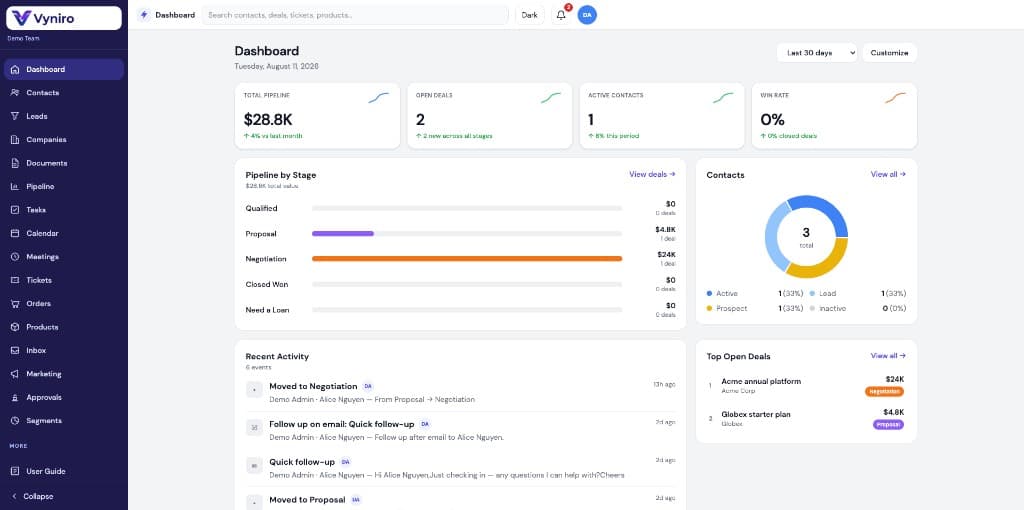
See your whole business in one dashboard
Pipeline value, open deals, win rate, stage breakdown, contact health, and recent activity — all on one screen so you know where to focus today.
- KPI cards with sparklines for pipeline, deals, contacts, and win rate
- Pipeline-by-stage bars and contact status breakdown
- Recent activity feed + top open deals in one glance
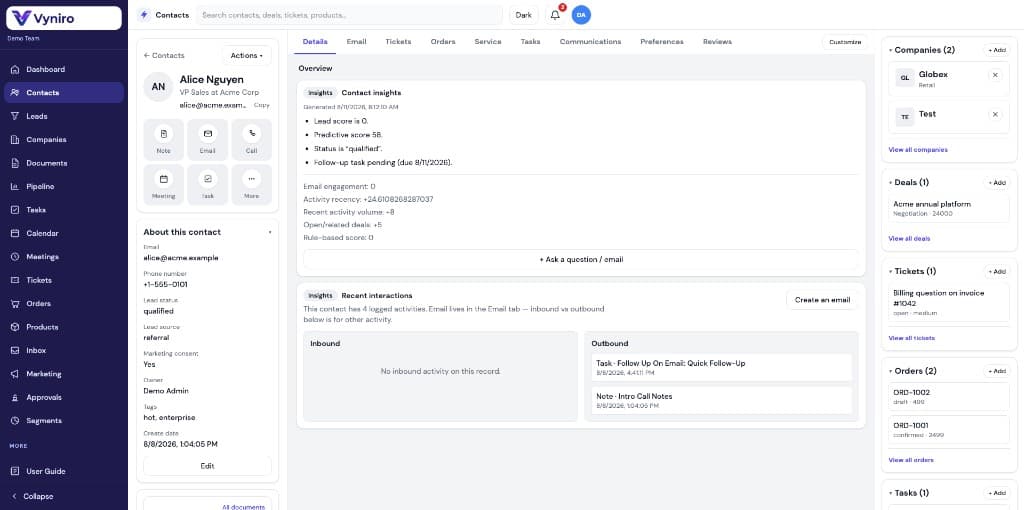
Every contact with full context and AI insights
Open a contact and see companies, deals, tickets, orders, and tasks beside predictive scores, engagement, and an ask-anything insights panel.
- Quick actions: note, email, call, meeting, task
- Contact insights with predictive score and activity signals
- Related deals, tickets, orders, and tasks in one sidebar
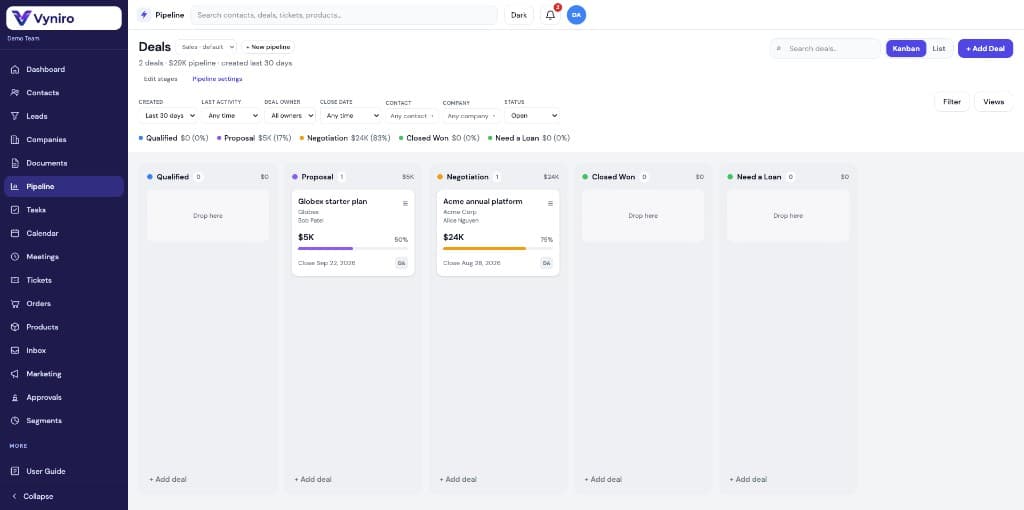
Drag deals through a visual Kanban pipeline
Customize stages, filter by owner or close date, and move deals from Qualified to Closed Won with progress, value, and owners on every card.
- Kanban and list views for the same pipeline
- Stage value legend with live % of total pipeline
- Filters for owner, contact, company, status, and dates
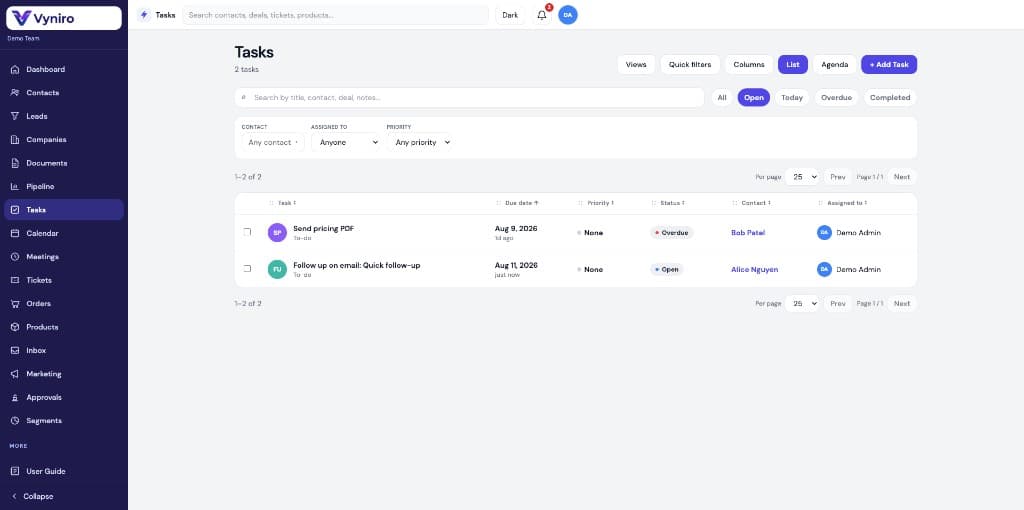
Stay on top of tasks before they slip
Shared task lists with overdue alerts, assignees, linked contacts, and quick filters for Today, Overdue, Open, and Completed.
- List and agenda views with column customization
- Priority, due date, status, and assignee tracking
- Jump straight to the related contact from any row
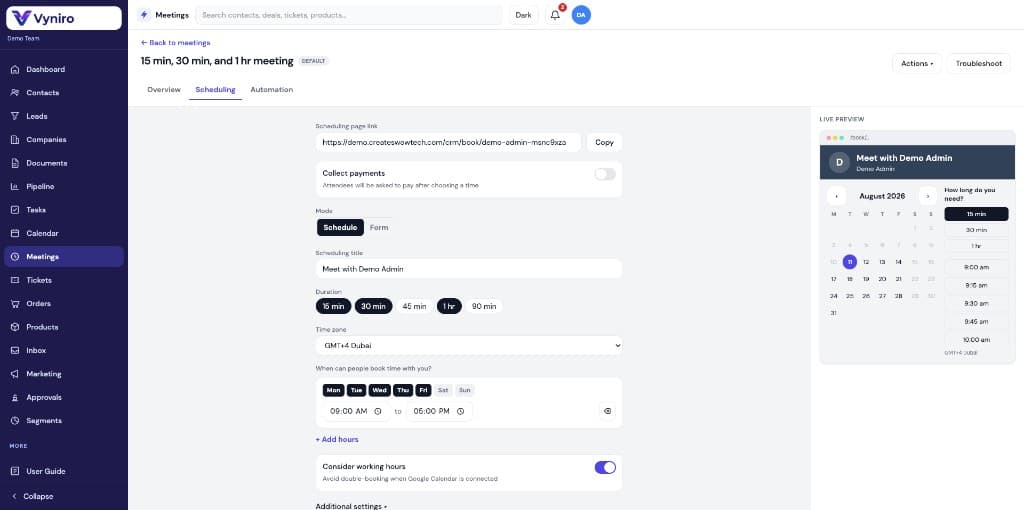
Booking pages that match how you sell
Configure durations, availability, time zones, and payment collection — then preview the live scheduling page customers see.
- Multi-duration meeting types with shareable booking links
- Working hours synced to avoid double-booking
- Live preview of calendar, slots, and duration choices
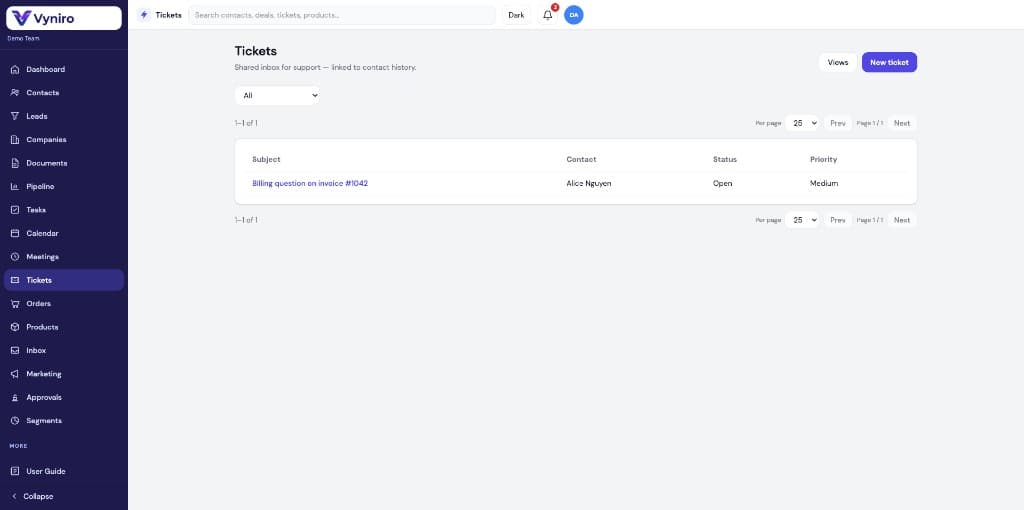
Tickets linked to the full customer story
Run a shared support inbox where every ticket sits next to contact history — so agents never reply without context.
- Shared inbox for open support requests
- Status and priority controls on every ticket
- Tickets tied directly to contact records
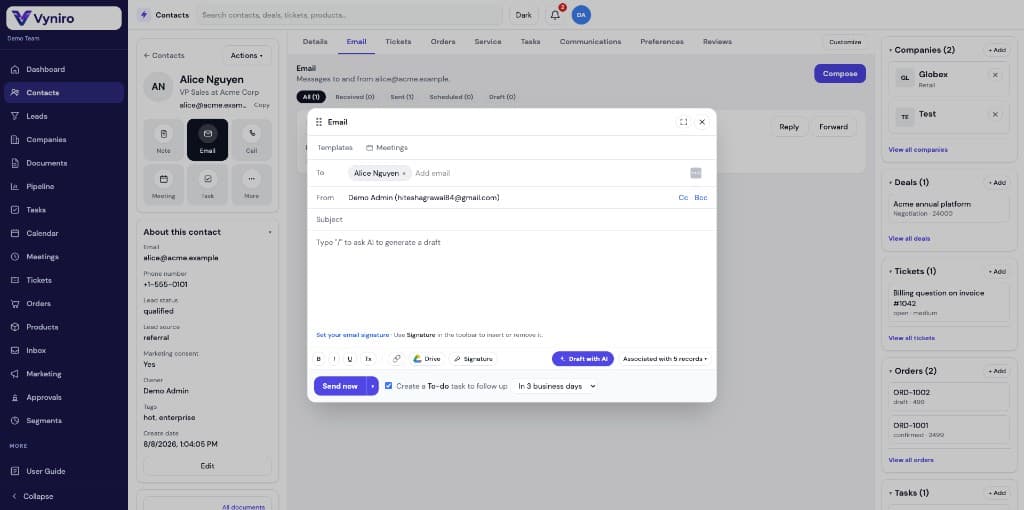
Draft emails with AI — and create follow-ups automatically
Compose from the contact record with templates, signatures, Drive attachments, and a Draft with AI button. Optionally create a to-do to follow up in a few business days.
- Type '/' or use Draft with AI for smarter first drafts
- Create a follow-up task without leaving the email modal
- Send with full deals, tickets, and orders still in view
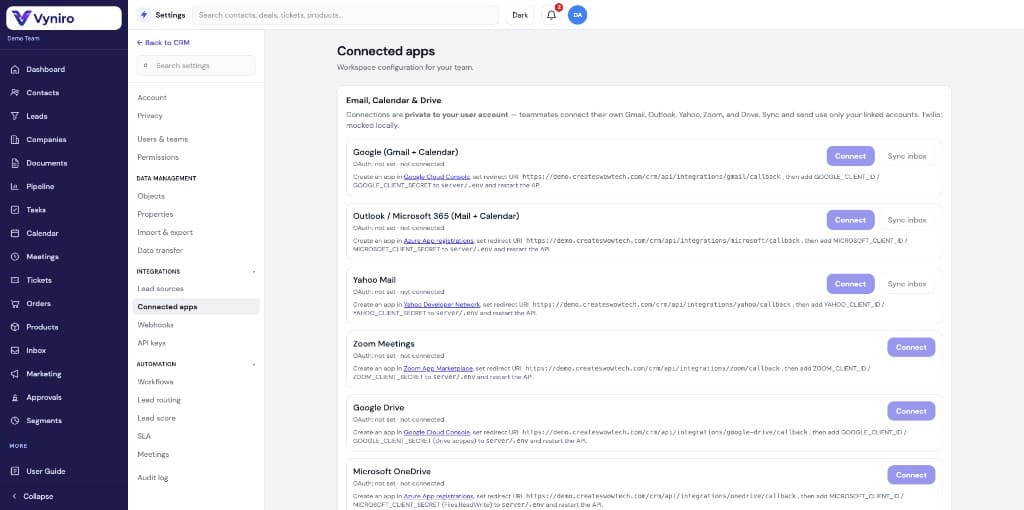
Connect Google, Microsoft, Yahoo, and Zoom
Sync mail, calendar, and drive privately to each user account. Pair that with workflows, lead routing, scoring, SLAs, and audit logs.
- Google Workspace, Microsoft 365, Yahoo Mail, Zoom
- Private per-user connections for inbox and calendar sync
- Automation: workflows, lead routing, scoring, and SLAs
Built as one connected workspace
Frequently asked questions
Ready to run sales and service in one CRM?
Start with the dashboard, close from the pipeline, support from tickets — with AI and integrations along the way.